UX Design and Research
Talk FR
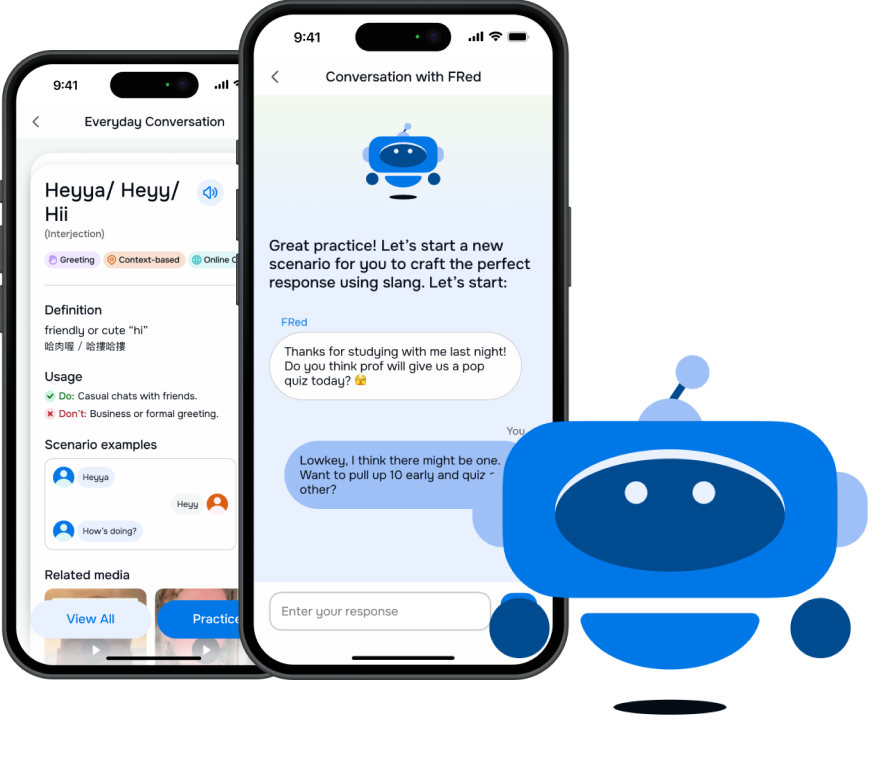
UX Case Study exploring how international students can learn how English speakers really talk.
Timeline
10 weeks
Team
4 graduate students
My Role
UX Research Lead & Project Manager
Methods
Surveys · Interviews · Usability Testing · Competitor Analysis
My Responsibility and Roles

UX Research
Scripted and led five rounds of UX research, including surveys, usability tests, user interviews, and unmoderated user testing.

UX Design
Designed interactions for the FRed AI Chatbot (hypothetical) and developed learning hubs based on real learning methodolgy.

Project Management
Managed and organized team meetings, user testing, and project deadlines to ensure timely completion and effective prioritization.
Problem Statement
International students often learn formal English but struggle with the informal expressions that native speakers use every day—such as slang, internet abbreviations, and casual conversational phrases. This gap makes it difficult to understand jokes, follow social interactions, and participate in casual conversations. As a result, many students feel socially isolated, less confident in speaking, and disconnected from local culture.
Project Concept
A digital learning platform designed to help international students and language learners confidently understand and use contemporary English expressions—slang, colloquial phrases, internet shorthand, and cultural references. The platform emphasizes the informal, dynamic, and culturally rich aspects of English that are rarely taught in classrooms but essential for social fluency.
Initial Research
Before starting the design process, we wanted to ensure we were addressing users' needs and see whether current market options supported learning or translating slang in English. We conducted the following:
32
User Survey
Non-native English speakers surveyed on slang experiences
4
User Interviews
In-depth conversations with target demographic
4
Competitor Analysis
Translation, language learning, and dictionary apps
4
Rounds of Testing
Lo-fi, mid-fi, and hi-fi usability rounds
Project Timeline
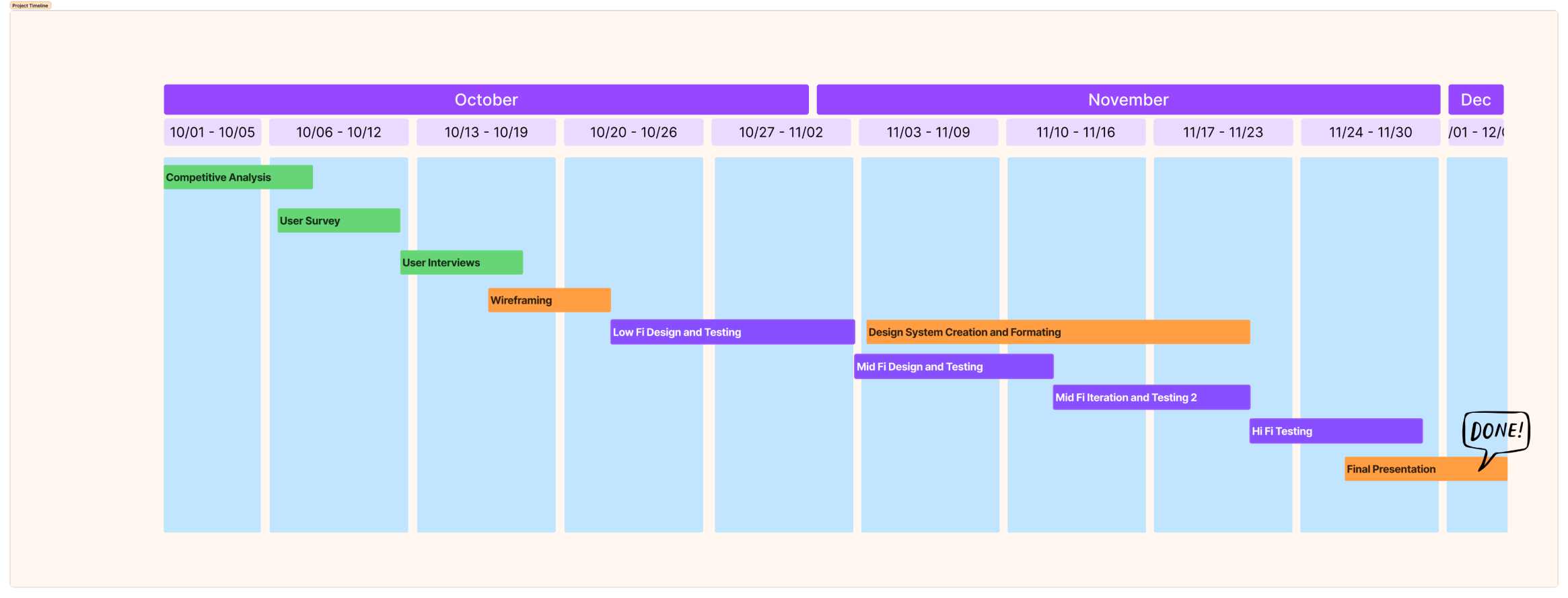
The 10-week process moved from discovery to delivery — competitive analysis and surveys in October, through wireframing and three rounds of testing, to a final hi-fi prototype in December.
Key Insights
We surveyed 32 non-native English speakers and interviewed 4 participants, exploring how they encounter and learn slang. Four clear themes emerged:
78%
of survey respondents agreed that "slang and abbreviations are an essential part of understanding English in real-life contexts."
Strategies for learning slang
• Preferring bilingual, visual, and lightweight learning tools
• Motivated when slang connects to real-life contexts
• Suggested short clips from shows to demonstrate slang in use
Challenges with slang usage
• Uncertainty about tone, politeness, and social appropriateness
• Not feeling comfortable due to concerns about misuse
Importance of slang in communication
• Learning slang helps understand culture, trends, and connect with others
• Slang is key to belonging in English-speaking groups
Encountering slang in digital spaces
• Suggestions for AI chat practice to use slang naturally
• Usually skipping or guessing meaning when slang is unfamiliar
• Encountering unfamiliar slang in texts and social media
Lo-Fi Wireframes & Testing
Our low-fidelity testing focused on participants' perceptions of the initial screen designs — what they thought each button would do, and what content they expected on subsequent pages. We used open-ended questions rather than tasks to explore expectations naturally. Five participants took part.
What we learned:
Users were confused by FRed's role as an AI language coach
Feature overload made it hard to find a starting point
Community-generated content felt untrustworthy
The screenshot lookup feature was a surprise standout
Usability Testing
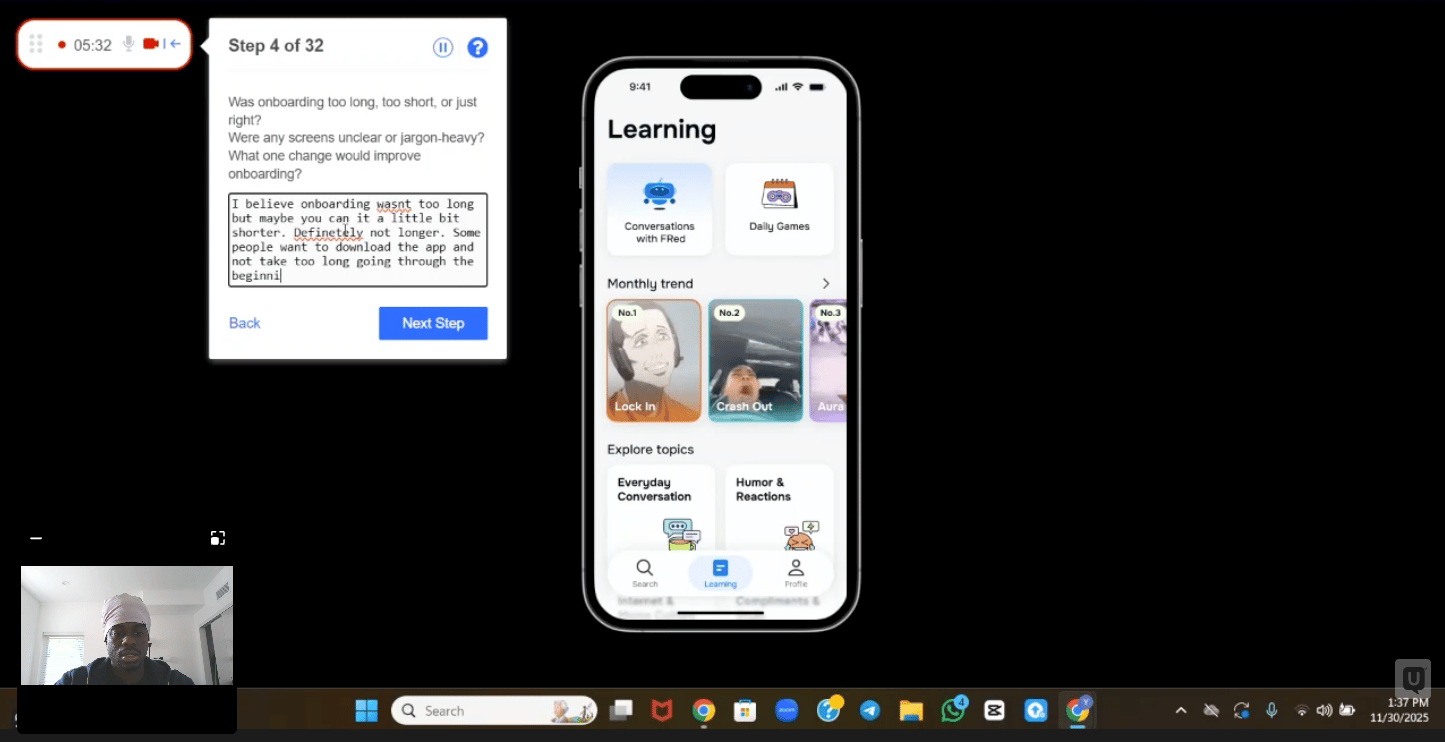
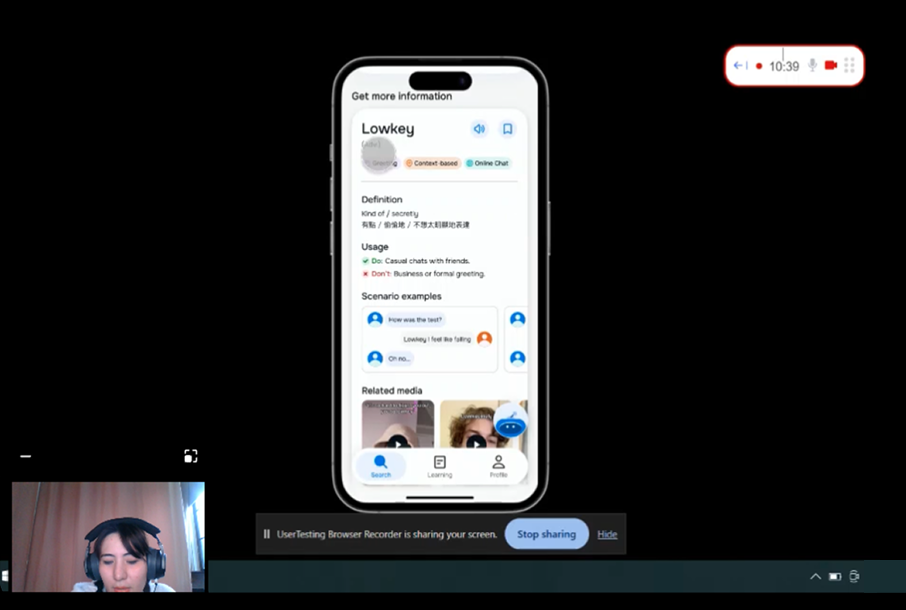
We asked users to complete 8 tasks in our fourth round of testing to evaluate the usability of our hi-fi prototype. 30+ participants across moderated and unmoderated sessions.
01
Onboarding Walkthrough
Navigate the onboarding screens and reach the home screen.
02
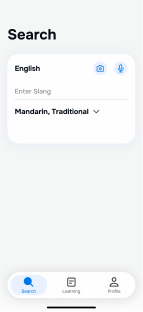
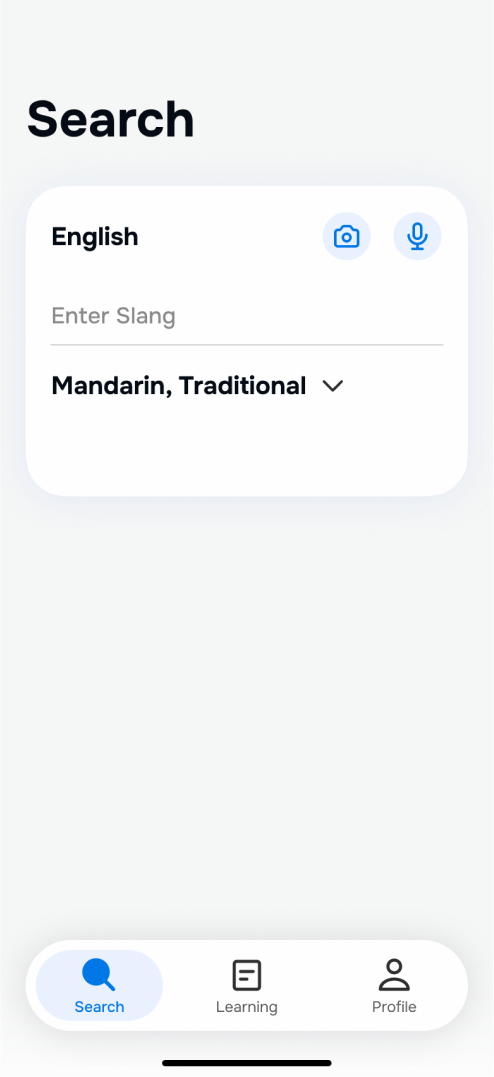
Search "lowkey"
Use Search to find the definition and examples.
03
Ask FRed (AI Q&A)
Ask FRed AI, "Who uses 'lowkey'?"
04
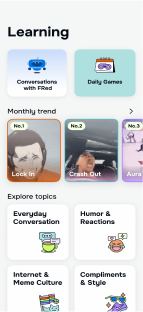
Learn by Topic
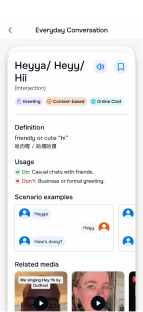
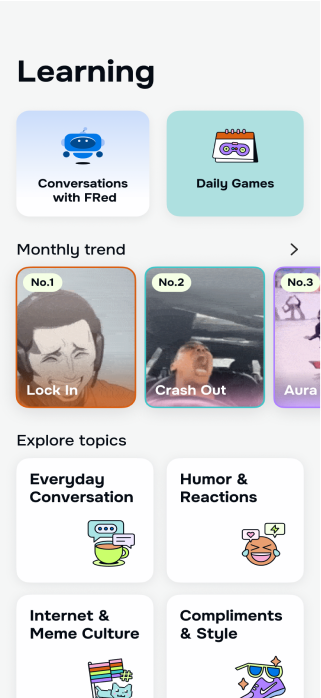
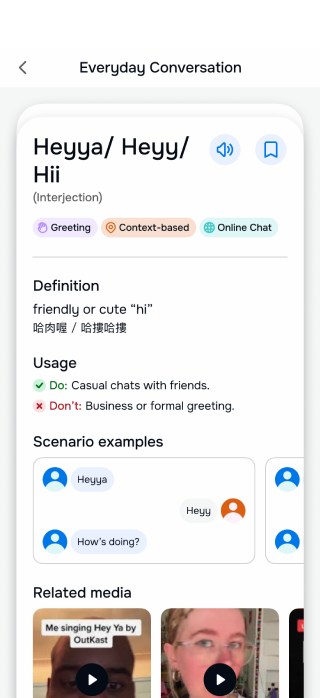
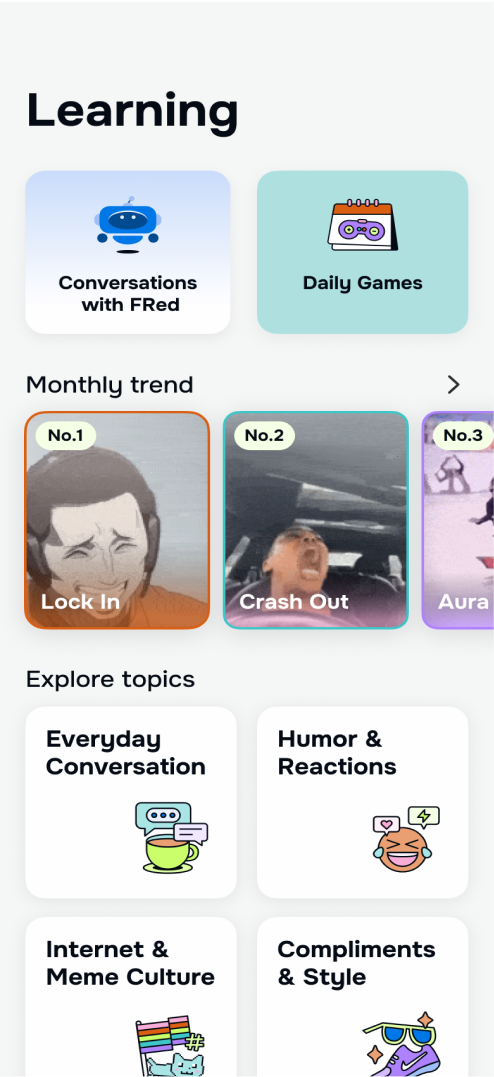
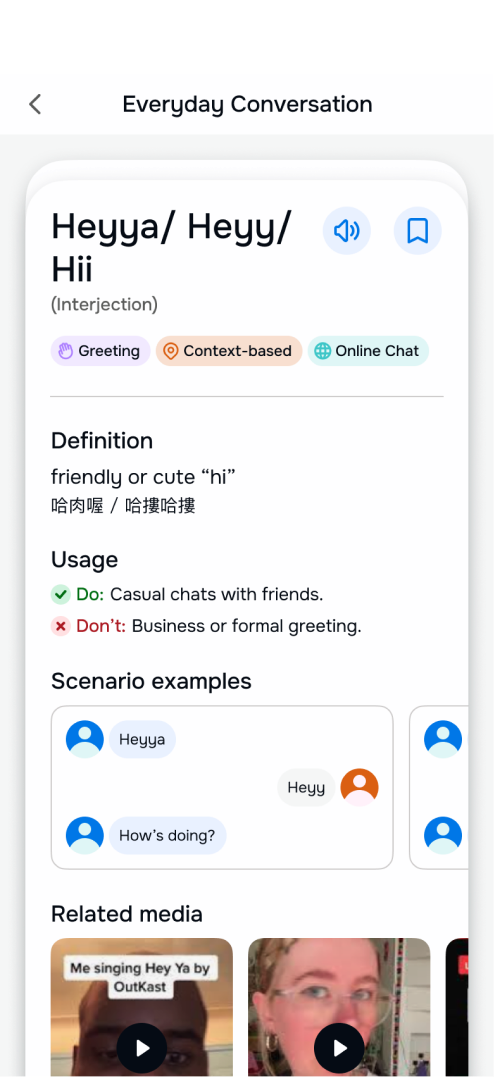
Go to the Learning page, find "Everyday Conversation," start with Heyya, and review the full word list.
05
Practice with FRed
After exploring a word card, practice "Fr" with FRed.
06
Conversation with FRed
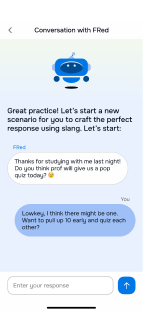
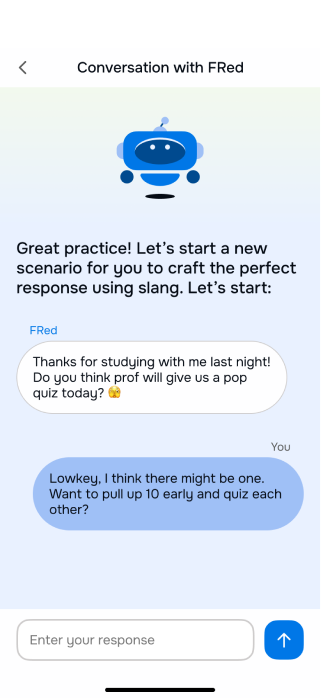
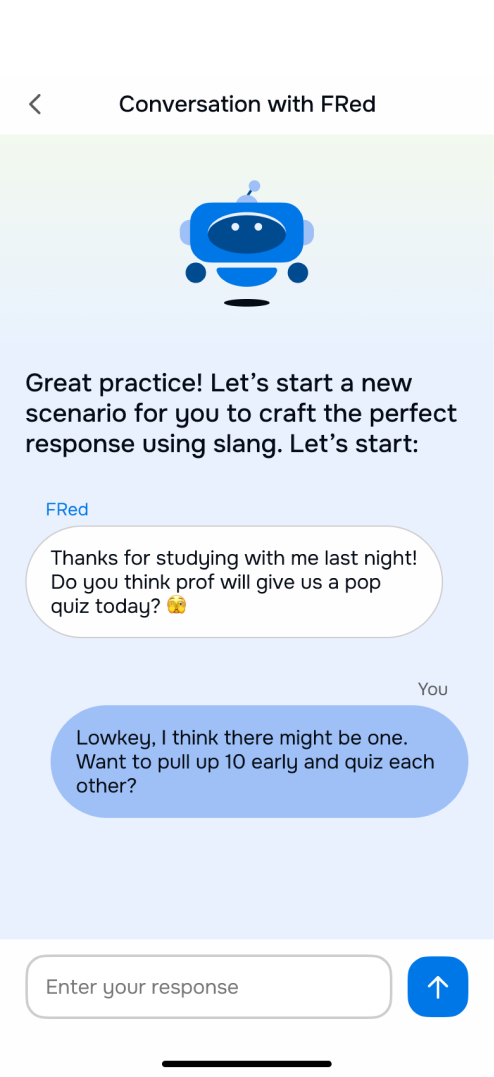
Start a conversation lesson in the Learning page, explore example replies, then write your own to finish.
07
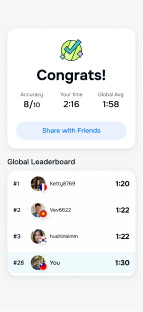
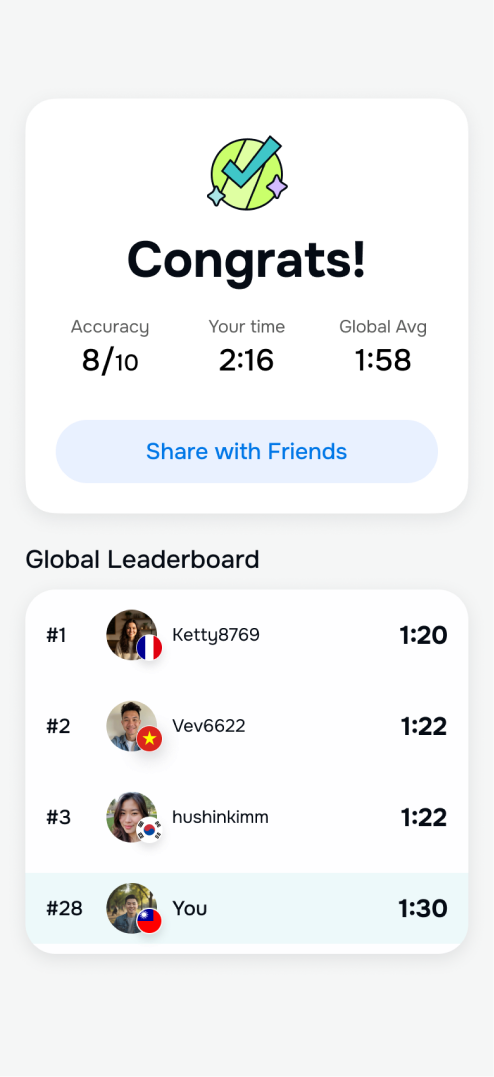
Daily Game
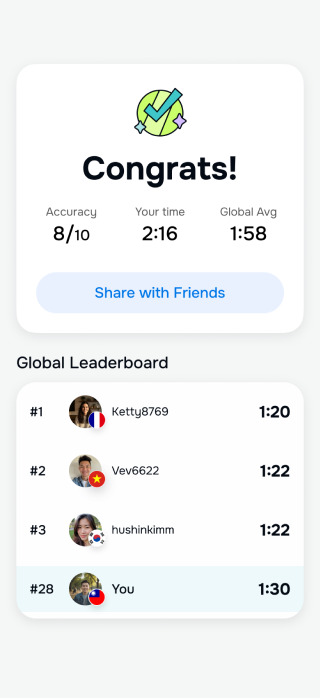
Play through the daily game and reach the results screen.
08
Screenshot Slang Lookup
Use the screenshot lookup flow to find the meaning of slang in a real conversation.
Key Findings from Hi-Fi Testing
90%
Task Completion
4.7 / 5
Average Task Ease Rating
< 5%
Of Tasks Showed Difficulty
Users expect onboarding to be quick and predictable
Users expected onboarding to be short and predictable. For novel or unfamiliar features, lightweight tooltips during actual use could help them learn faster than a static slideshow.
“Ask FRed” needs clearer entry cues and next-step guidance
Users saw FRed as a helpful personal tutor and liked its interactive follow-up prompts. However, some were unsure how to begin or what to expect the practice flow. A clearer instructions or UI clues could reduce hesitation.
Users prefer open-ended conversation over multiple-choice practice
The chat-based interaction with FRed felt more natural and useful, especially when combined with personalized feedback, which helped them feel more confident and made learning stick.
Screenshot lookup is fast and very useful
Users loved how it instantly explains slang from screenshots without needing to type. It saves time and feels like something they’d use in real life, making the app feel smart and cutting-edge.












Reflection
Communicating User Feedback
I established a standardized process for synthesizing and communicating research findings to the team. Consistent reporting enabled faster design iterations and more informed decisions — a practice I'll carry into every future project.
Managing Scope
A narrower feature set would have allowed for deeper research and validation of users' highest-priority needs. A more focused scope would have resulted in a more cohesive, polished product. Ship less, learn more.
UX Design and Research
Talk FR
UX Case Study exploring how international students can learn how English speakers really talk.
Timeline
10 weeks
Team
4 graduate students
My Role
UX Research Lead & Project Manager
Methods
Surveys · Interviews · Usability Testing · Competitor Analysis
My Responsibility and Roles
UX Research
Scripted and led five rounds of UX research, including surveys, usability tests, user interviews, and unmoderated user testing.
UX Design
Designed interactions for the FRed AI Chatbot (hypothetical) and developed learning hubs based on real learning methodolgy.
Project Management
Managed and organized team meetings, user testing, and project deadlines to ensure timely completion and effective prioritization.
Problem Statement
International students often learn formal English but struggle with the informal expressions that native speakers use every day—such as slang, internet abbreviations, and casual conversational phrases. This gap makes it difficult to understand jokes, follow social interactions, and participate in casual conversations. As a result, many students feel socially isolated, less confident in speaking, and disconnected from local culture.
Project Concept
A digital learning platform designed to help international students and language learners confidently understand and use contemporary English expressions—slang, colloquial phrases, internet shorthand, and cultural references. The platform emphasizes the informal, dynamic, and culturally rich aspects of English that are rarely taught in classrooms but essential for social fluency.
Initial Research
Before starting the design process, we wanted to ensure we were addressing users' needs and see whether current market options supported learning or translating slang in English. We conducted the following:
32
User Survey
Non-native English speakers surveyed on slang experiences
4
User Interviews
In-depth conversations with target demographic
4
Competitor Analysis
Translation, language learning, and dictionary apps
4
Rounds of Testing
Lo-fi, mid-fi, and hi-fi usability rounds
Project Timeline
The 10-week process moved from discovery to delivery — competitive analysis and surveys in October, through wireframing and three rounds of testing, to a final hi-fi prototype in December.
Key Insights
We surveyed 32 non-native English speakers and interviewed 4 participants, exploring how they encounter and learn slang. Four clear themes emerged:
78%
of survey respondents agreed that "slang and abbreviations are an essential part of understanding English in real-life contexts."
Strategies for learning slang
• Preferring bilingual, visual, and lightweight learning tools
• Motivated when slang connects to real-life contexts
• Suggested short clips from shows to demonstrate slang in use
Challenges with slang usage
• Uncertainty about tone, politeness, and social appropriateness
• Not feeling comfortable due to concerns about misuse
Importance of slang in communication
• Learning slang helps understand culture, trends, and connect with others
• Slang is key to belonging in English-speaking groups
Encountering slang in digital spaces
• Suggestions for AI chat practice to use slang naturally
• Usually skipping or guessing meaning when slang is unfamiliar
• Encountering unfamiliar slang in texts and social media
Lo-Fi Wireframes & Testing
Our low-fidelity testing focused on participants' perceptions of the initial screen designs — what they thought each button would do, and what content they expected on subsequent pages. We used open-ended questions rather than tasks to explore expectations naturally. Five participants took part.
What we learned:
Users were confused by FRed's role as an AI language coach
Feature overload made it hard to find a starting point
Community-generated content felt untrustworthy
The screenshot lookup feature was a surprise standout
Design Decisions
Each design decision was driven directly by research findings. Select a decision to see the rationale and outcome.
Screenshot Lookup
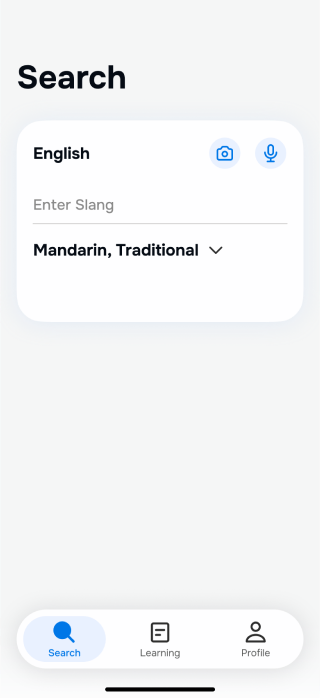
See slang in the wild? Screenshot it and look it up instantly.
Users can take or upload a screenshot of a text conversation or social media post. TalkFR identifies the slang in context and surfaces definitions, usage notes, and a chance to ask FRed follow-up questions.
Why it mattered
The screenshot lookup was the most spontaneously praised feature across all testing rounds. Users immediately understood the use case and described real situations where they would have used it — making it a core pillar of the hi-fi design.
Usability Testing
We asked users to complete 8 tasks in our fourth round of testing to evaluate the usability of our hi-fi prototype. 30+ participants across moderated and unmoderated sessions.
01
Onboarding Walkthrough
Navigate the onboarding screens and reach the home screen.
02
Search "lowkey"
Use Search to find the definition and examples.
03
Ask FRed (AI Q&A)
Ask FRed AI, "Who uses 'lowkey'?"
04
Learn by Topic
Go to the Learning page, find "Everyday Conversation," start with Heyya, and review the full word list.
05
Practice with FRed
After exploring a word card, practice "Fr" with FRed.
06
Conversation with FRed
Start a conversation lesson in the Learning page, explore example replies, then write your own to finish.
07
Daily Game
Play through the daily game and reach the results screen.
08
Screenshot Slang Lookup
Use the screenshot lookup flow to find the meaning of slang in a real conversation.
Key Findings from Hi-Fi Testing
90%
Task Completion
4.7 / 5
Average Task Ease Rating
< 5%
Of Tasks Showed Difficulty
Users expect onboarding to be quick and predictable
Users expected onboarding to be short and predictable. For novel or unfamiliar features, lightweight tooltips during actual use could help them learn faster than a static slideshow.
“Ask FRed” needs clearer entry cues and next-step guidance
Users saw FRed as a helpful personal tutor and liked its interactive follow-up prompts. However, some were unsure how to begin or what to expect the practice flow. A clearer instructions or UI clues could reduce hesitation.
Users prefer open-ended conversation over multiple-choice practice
The chat-based interaction with FRed felt more natural and useful, especially when combined with personalized feedback, which helped them feel more confident and made learning stick.
Screenshot lookup is fast and very useful
Users loved how it instantly explains slang from screenshots without needing to type. It saves time and feels like something they’d use in real life, making the app feel smart and cutting-edge.












Reflection
Communicating User Feedback
I established a standardized process for synthesizing and communicating research findings to the team. Consistent reporting enabled faster design iterations and more informed decisions — a practice I'll carry into every future project.
Managing Scope
A narrower feature set would have allowed for deeper research and validation of users' highest-priority needs. A more focused scope would have resulted in a more cohesive, polished product. Ship less, learn more.
UX Design and Research
Talk FR
UX Case Study exploring how international students can learn how English speakers really talk.
Timeline
10 weeks
Team
4 graduate students
My Role
UX Research Lead & Project Manager
Methods
Surveys · Interviews · Usability Testing · Competitor Analysis
My Responsibility and Roles

UX Research
Scripted and led five rounds of UX research, including surveys, usability tests, user interviews, and unmoderated user testing.

UX Design
Designed interactions for the FRed AI Chatbot (hypothetical) and developed learning hubs based on real learning methodolgy.

Project Management
Managed and organized team meetings, user testing, and project deadlines to ensure timely completion and effective prioritization.
Problem Statement
International students often learn formal English but struggle with the informal expressions that native speakers use every day—such as slang, internet abbreviations, and casual conversational phrases. This gap makes it difficult to understand jokes, follow social interactions, and participate in casual conversations. As a result, many students feel socially isolated, less confident in speaking, and disconnected from local culture.
Project Concept
A digital learning platform designed to help international students and language learners confidently understand and use contemporary English expressions—slang, colloquial phrases, internet shorthand, and cultural references. The platform emphasizes the informal, dynamic, and culturally rich aspects of English that are rarely taught in classrooms but essential for social fluency.
Initial Research
Before starting the design process, we wanted to ensure we were addressing users' needs and see whether current market options supported learning or translating slang in English. We conducted the following:
32
User Survey
Non-native English speakers surveyed on slang experiences
4
User Interviews
In-depth conversations with target demographic
4
Competitor Analysis
Translation, language learning, and dictionary apps
4
Rounds of Testing
Lo-fi, mid-fi, and hi-fi usability rounds
Project Timeline
The 10-week process moved from discovery to delivery — competitive analysis and surveys in October, through wireframing and three rounds of testing, to a final hi-fi prototype in December.
Key Insights
We surveyed 32 non-native English speakers and interviewed 4 participants, exploring how they encounter and learn slang. Four clear themes emerged:
78%
of survey respondents agreed that "slang and abbreviations are an essential part of understanding English in real-life contexts."
Strategies for learning slang
• Preferring bilingual, visual, and lightweight learning tools
• Motivated when slang connects to real-life contexts
• Suggested short clips from shows to demonstrate slang in use
Challenges with slang usage
• Uncertainty about tone, politeness, and social appropriateness
• Not feeling comfortable due to concerns about misuse
Importance of slang in communication
• Learning slang helps understand culture, trends, and connect with others
• Slang is key to belonging in English-speaking groups
Encountering slang in digital spaces
• Suggestions for AI chat practice to use slang naturally
• Usually skipping or guessing meaning when slang is unfamiliar
• Encountering unfamiliar slang in texts and social media
Lo-Fi Wireframes & Testing
Our low-fidelity testing focused on participants' perceptions of the initial screen designs — what they thought each button would do, and what content they expected on subsequent pages. We used open-ended questions rather than tasks to explore expectations naturally. Five participants took part.
What we learned:
Users were confused by FRed's role as an AI language coach
Feature overload made it hard to find a starting point
Community-generated content felt untrustworthy
The screenshot lookup feature was a surprise standout
Design Decisions
Each design decision was driven directly by research findings. Select a decision to see the rationale and outcome.
Screenshot Lookup
See slang in the wild? Screenshot it and look it up instantly.
Users can take or upload a screenshot of a text conversation or social media post. TalkFR identifies the slang in context and surfaces definitions, usage notes, and a chance to ask FRed follow-up questions.
Why it mattered
The screenshot lookup was the most spontaneously praised feature across all testing rounds. Users immediately understood the use case and described real situations where they would have used it — making it a core pillar of the hi-fi design.
Usability Testing
We asked users to complete 8 tasks in our fourth round of testing to evaluate the usability of our hi-fi prototype. 30+ participants across moderated and unmoderated sessions.
01
Onboarding Walkthrough
Navigate the onboarding screens and reach the home screen.
02
Search "lowkey"
Use Search to find the definition and examples.
03
Ask FRed (AI Q&A)
Ask FRed AI, "Who uses 'lowkey'?"
04
Learn by Topic
Go to the Learning page, find "Everyday Conversation," start with Heyya, and review the full word list.
05
Practice with FRed
After exploring a word card, practice "Fr" with FRed.
06
Conversation with FRed
Start a conversation lesson in the Learning page, explore example replies, then write your own to finish.
07
Daily Game
Play through the daily game and reach the results screen.
08
Screenshot Slang Lookup
Use the screenshot lookup flow to find the meaning of slang in a real conversation.
Key Findings from Hi-Fi Testing
90%
Task Completion
4.7 / 5
Average Task Ease Rating
< 5%
Of Tasks Showed Difficulty
Users expect onboarding to be quick and predictable
Users expected onboarding to be short and predictable. For novel or unfamiliar features, lightweight tooltips during actual use could help them learn faster than a static slideshow.
“Ask FRed” needs clearer entry cues and next-step guidance
Users saw FRed as a helpful personal tutor and liked its interactive follow-up prompts. However, some were unsure how to begin or what to expect the practice flow. A clearer instructions or UI clues could reduce hesitation.
Users prefer open-ended conversation over multiple-choice practice
The chat-based interaction with FRed felt more natural and useful, especially when combined with personalized feedback, which helped them feel more confident and made learning stick.
Screenshot lookup is fast and very useful
Users loved how it instantly explains slang from screenshots without needing to type. It saves time and feels like something they’d use in real life, making the app feel smart and cutting-edge.












Reflection
Communicating User Feedback
I established a standardized process for synthesizing and communicating research findings to the team. Consistent reporting enabled faster design iterations and more informed decisions — a practice I'll carry into every future project.
Managing Scope
A narrower feature set would have allowed for deeper research and validation of users' highest-priority needs. A more focused scope would have resulted in a more cohesive, polished product. Ship less, learn more.